> For the complete documentation index, see [llms.txt](https://beafn28.gitbook.io/beafn28/llms.txt). Markdown versions of documentation pages are available by appending `.md` to page URLs; this page is available as [Markdown](https://beafn28.gitbook.io/beafn28/writeups/dockerlabs/extraviado.md).
# Extraviado
✍️ Autor: Hack\_Viper🔍 Dificultad: Fácil 📅 Fecha de creación: 12/01/2025
### 🔍 RECONOCIMIENTO
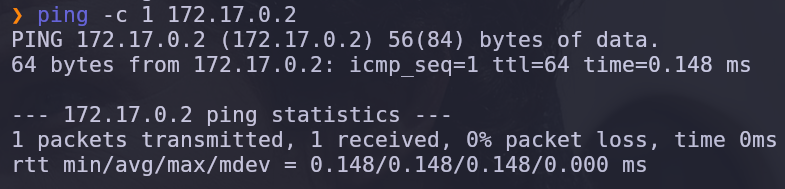
En primer lugar, tras conectarnos a la máquina, utilizamos el comando:
```bash
ping -c 1 172.17.0.2
```
para verificar la conectividad de red.
A continuación, realizamos el comando:
```bash
nmap -sVC -p- -n --min-rate 5000 172.17.0.2
```
para realizar un escaneo de puertos y servicios detallado en la dirección IP.
Como podemos observar durante el escaneo que el **puerto 22** perteneciente al **servicio SSH** y el **puerto 80** perteneciente al **servicio HTTP** están abiertos por lo que a continuación se indagará más.
### 🔎 **EXPLORACIÓN**
Se utiliza el comando:
```bash
sudo nmap -sCV -p22,80 -v 172.17.0.2
```
para obtener más información sobre esos puertos específicamente.
### 🚀 **EXPLOTACIÓN**
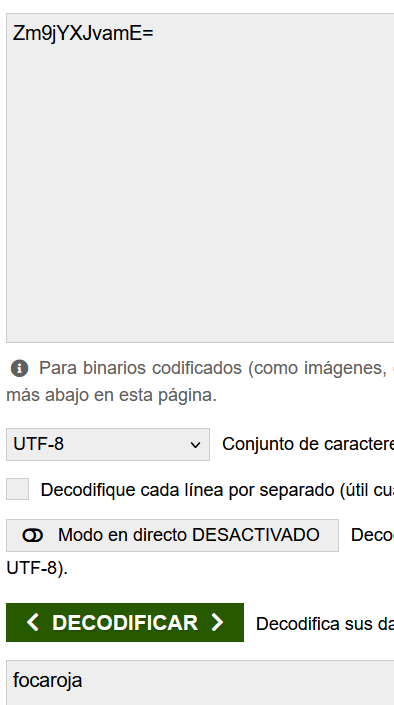
Como vemos hay una cadena en Base64 por lo que vamos a decodificar.
Al parecer son las credenciales del usuario por lo que iniciamos sesión.
### 🔐 **PRIVILEGIOS**
Al estar dentro y ejecutar:
```bash
whoami
```
aún no somos **root**, por lo que hacemos:
```bash
sudo -l
```
para ver si hay algo para explotar. No tenemos permisos **SUDO**.
Indagamos entre los directorios y nos damos cuenta que hay otro usuario llamado **diego** y tenemos la contraseña en base64.
Iniciamos sesión con esas credenciales e indagando entre los directorios un acertijo.
El animal sobre que nos habla el acertijo es el **osoazul** que es la contraseña de **root**.